GoodEnoughSFX
A downloadable tool for Windows and Linux
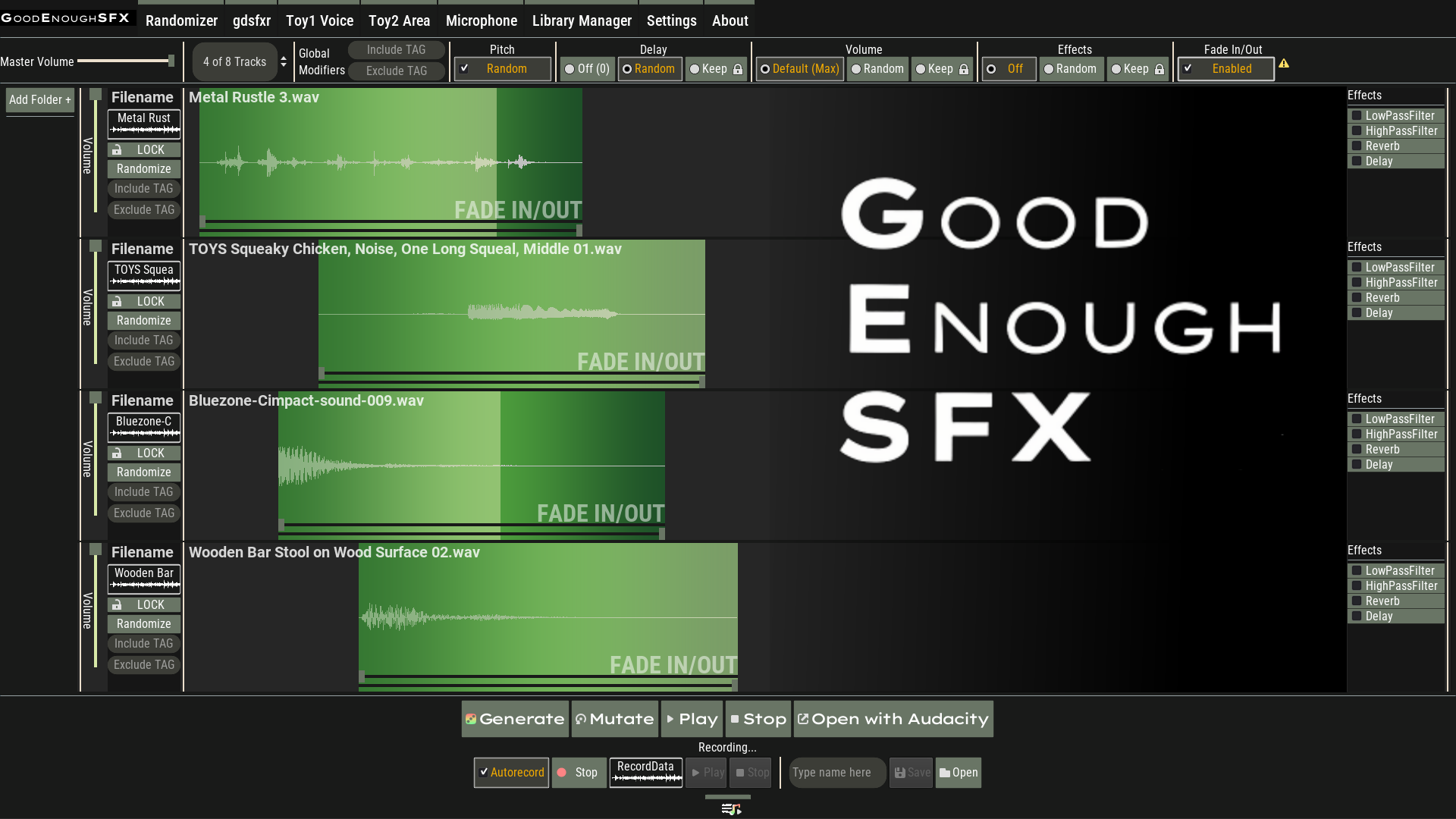
Add sounds from your collection and randomize them, combining them to create new sounds quickly for game projects and jams.
Inspired by the sfxr sound generators, generate sounds with 1 button press and without thinking much, it may not be perfect but it can be good enough.
The sounds created with this tool are yours to use for any free or commercial project or purpose without need for attribution on my side (if used with other licensed materials/sounds, read those licenses terms).
FEATURES
Randomizer
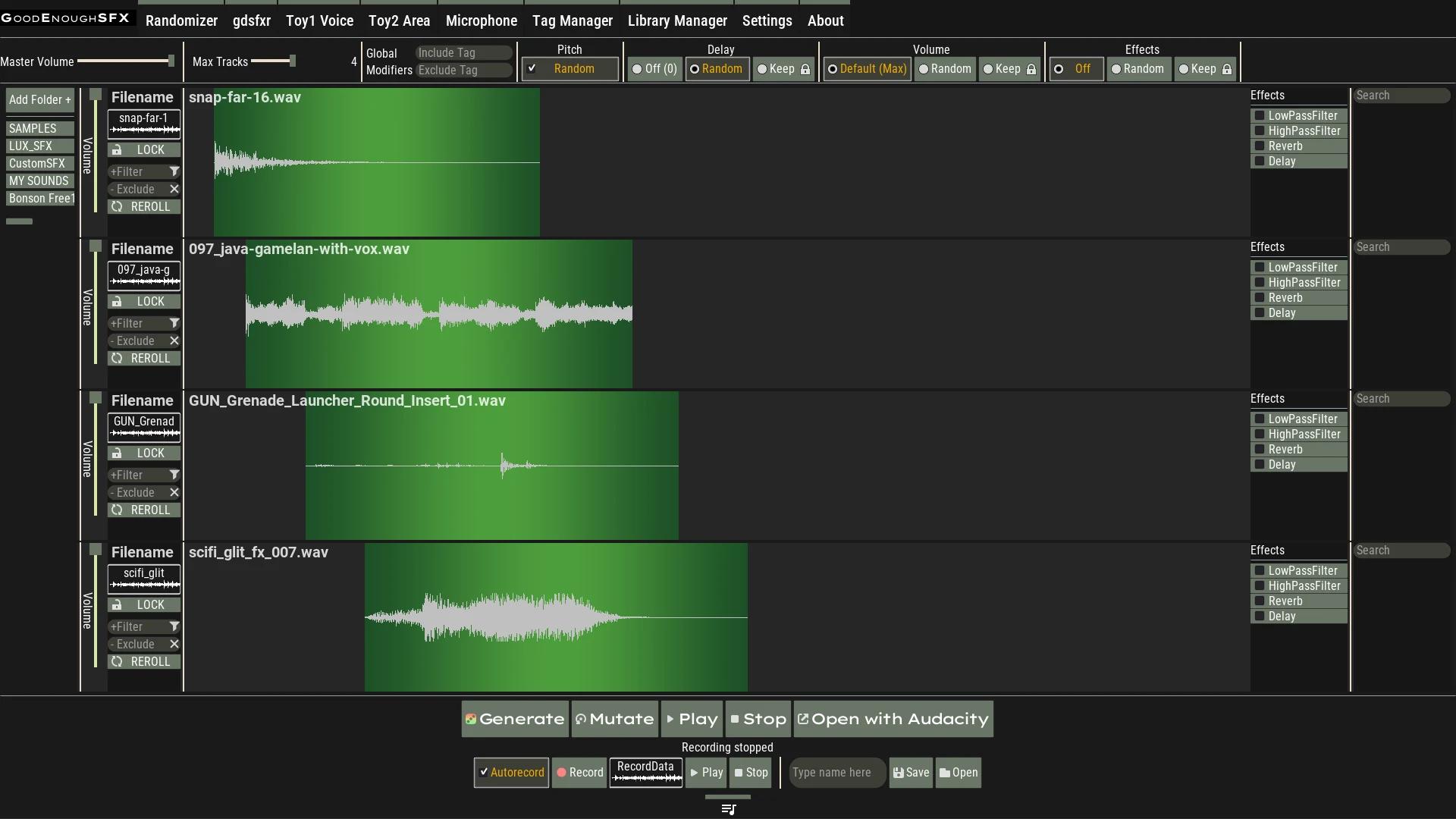
Add your sound files, press the Generate button (or R) to randomize, hear the result, save it (Ctrl+S),
Didn't like the result?
Play with all the different settings combinations and try again.
Or use keywords from your filenames and folders to create something more specific and less chaotic.
gdfxr
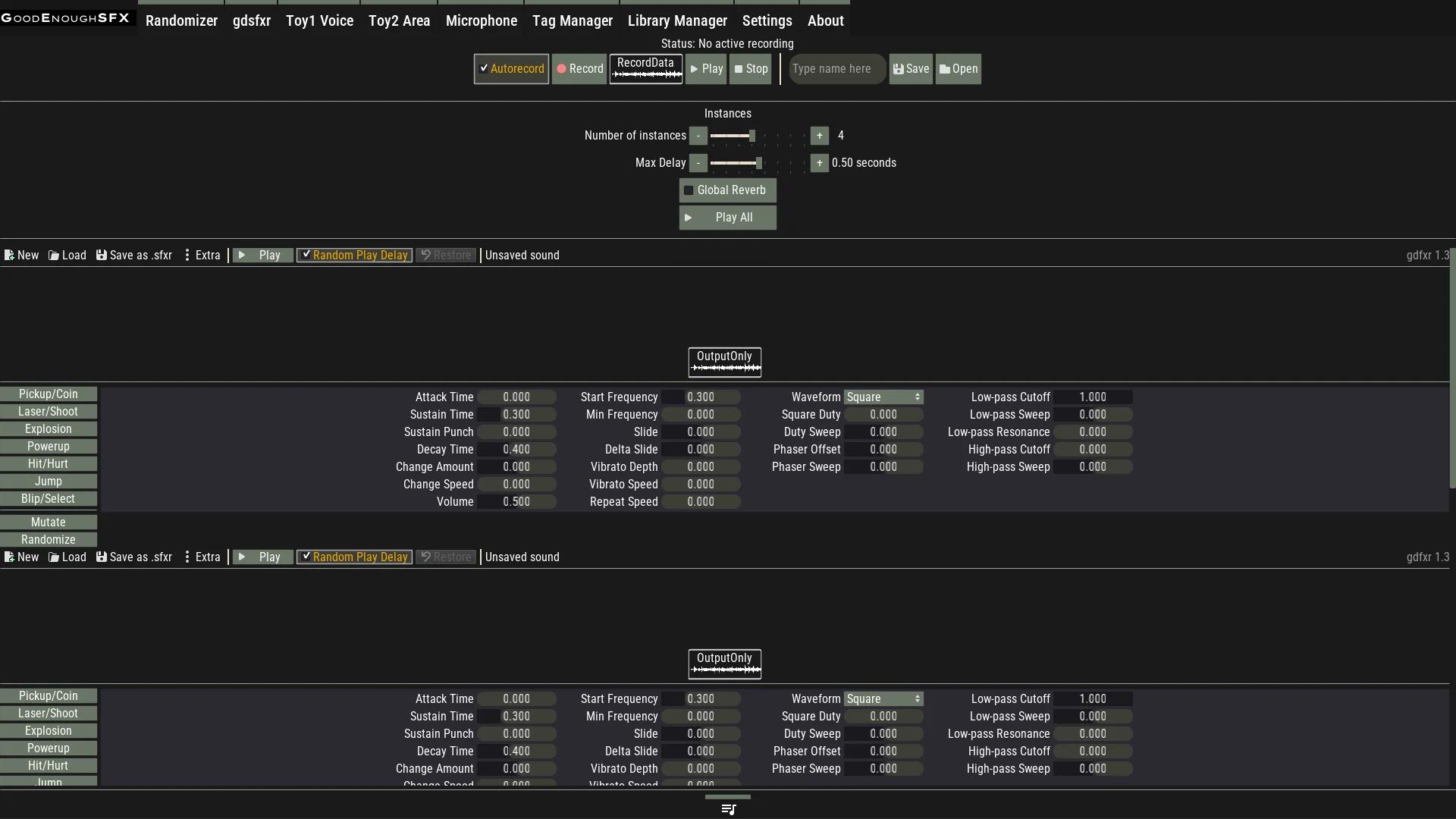
Similar to the sfxr generators, press a button (recommended shortcuts. Keys 1 to 7), and create short retro sounds, you can layer many of them to create more robust sounding ones and small jingles, apply reverb if the retro vibe isn't for you.
Voice Toy
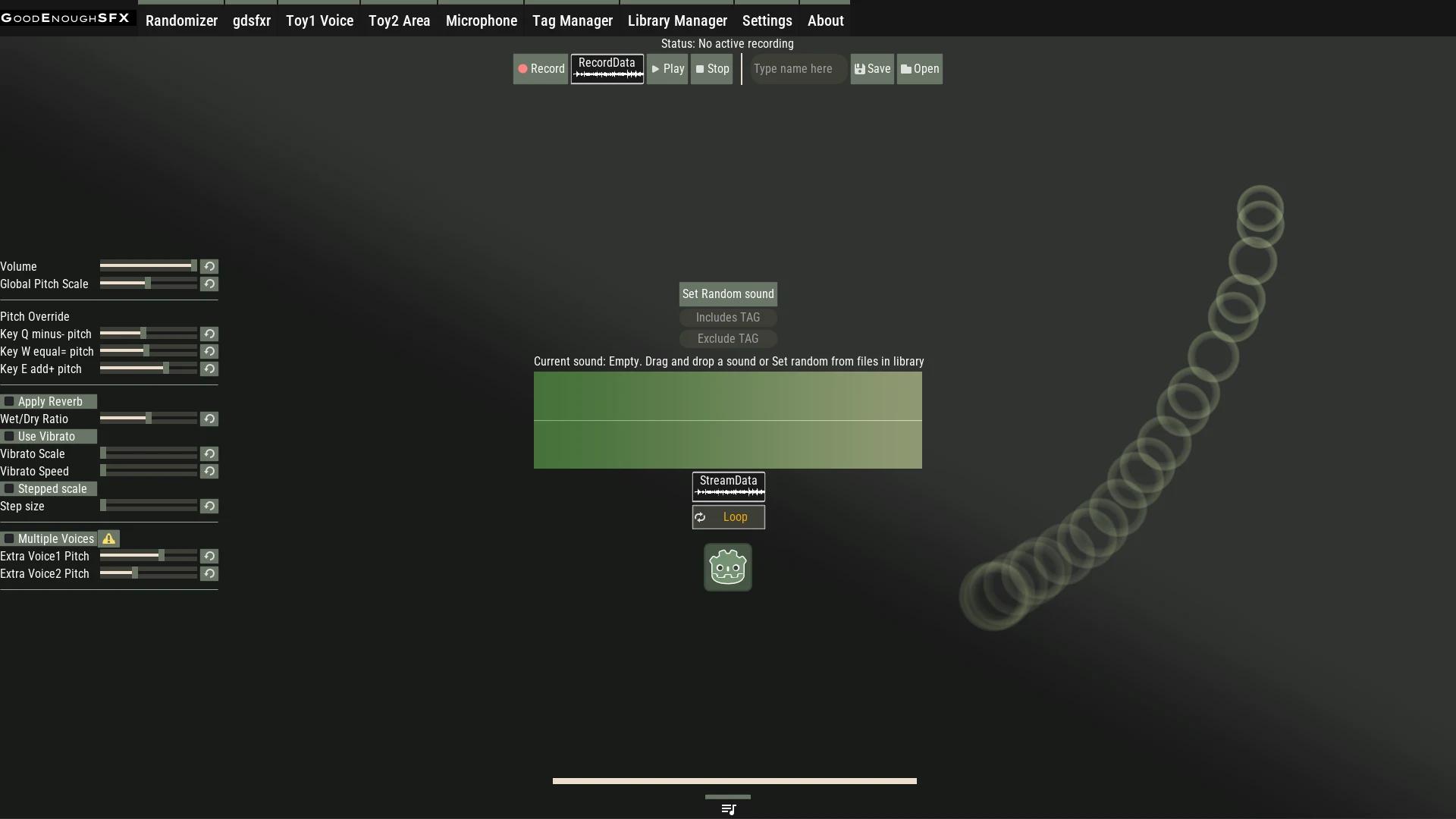
Add a sound, play to your hearts content or record your "live performance" after rehearsing, intended to create "animal/voice" sounds but no hard rules on how or what to use it for. R to randomize.
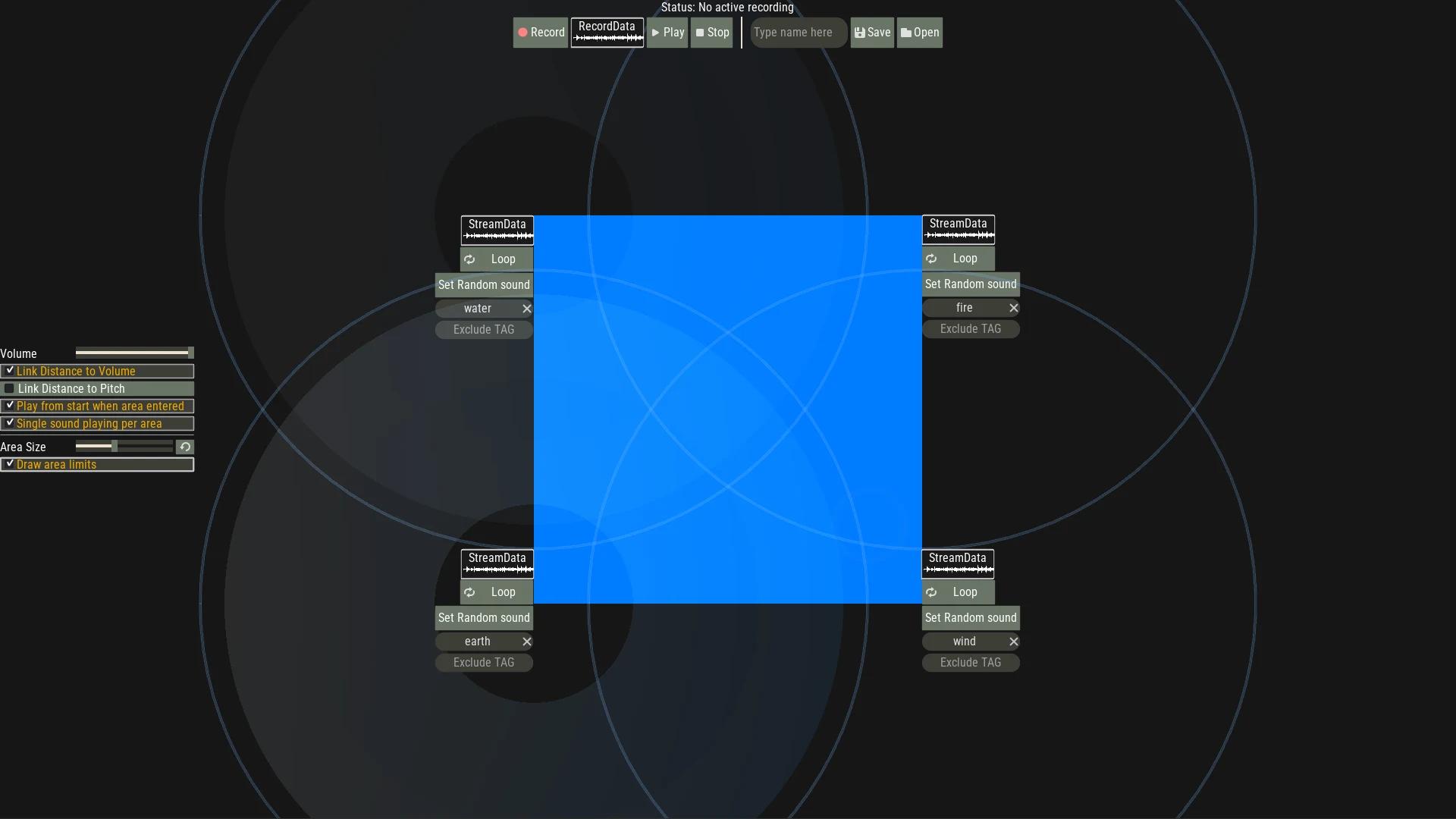
Area/Transitions Toy
Add up to 4 sounds, play and create transitions, variations and/or scenarios, play with the different settings available. R to randomize.
Open with Audacity/Tenacity
Randomize sounds and continue your work in Tenacity/Audacity with it's wide array of tools (practically this tool exists because Audacity didn't have a randomizer handy).
Take the output of one tool to another without saving it by dragging it into the tray (press Tab), and drag them out into the drop zones in each workspace.
Mouse hover other elements to get help or by pressing F1.
LIMITATIONS
* Exporting/Saving sounds may require OS permissions to access the Microphone, as it exports the sounds capturing the Stereo Mix input (what you hear).
* If a Microphone is connected, the generated sound output quality may result degraded as a result of the microphone audio capture being active while doing the mixing, it is recommended to disconnect microphones while using this program, and/or capturing any funny noises you want to randomize with other software and then adding them as .wav files here.
* Works best with short .wav sounds with format ( WAV 16-bit, 44 kHz, mono) .
* Don't use very long and heavy .wav files and other bit depths, slicing into smaller files might be needed.
* Sound in .ogg and .mp3 formats should work but don't display waveforms.
TO DO
Expand to a true tag system (currently only matches words in filename).
Add Tag Manager.
Simplify adding files if tags are not needed, just dragging a directory with sounds.
Randomizer Tool:
- Allow the rest of audio effects possible by Godot to be randomized.
- Allow pitch to be modified per track or kept (currently only random or off).
- Allow Fade In/Out to be randomized properties.
- Improve global/per track tag randomization usage
Allow to open current tracks with any external command not limited to audacity.
gdfxr Tool:
- Improve general usability (currently relies on pressing Keys 1 to 7 for the intended experience).
- Shortcuts to Allow mixing Sound categories (i.e. Jump+Explosion+Shoot) in a single generation (currently needs to scroll and click each gdfxr instance).
- Jingles.
Add Nodes Tool.
Add Grid Tool.
Area Toy:
- Allow Area Toy to use an arbitrary number/position of Areas.
-Use 2d spatial positioning, maybe even 3d positions
Expand and allow more settings to saved and kept.
Improve sound transfer between tools/sound tray temp files usage.
Migrate to Godot 4.x for better performance and microphone/audio handling.
Project source code (Free under the MIT License)
https://github.com/Lux-Ae/GoodEnoughSFX/
Made with Godot 3.6
Download
Click download now to get access to the following files:
Development log
- GESFX anniversary fix and source code releaseOct 07, 2025
- Windows version has arrived.Dec 20, 2024
- Release FixNov 01, 2024
Leave a comment
Log in with itch.io to leave a comment.